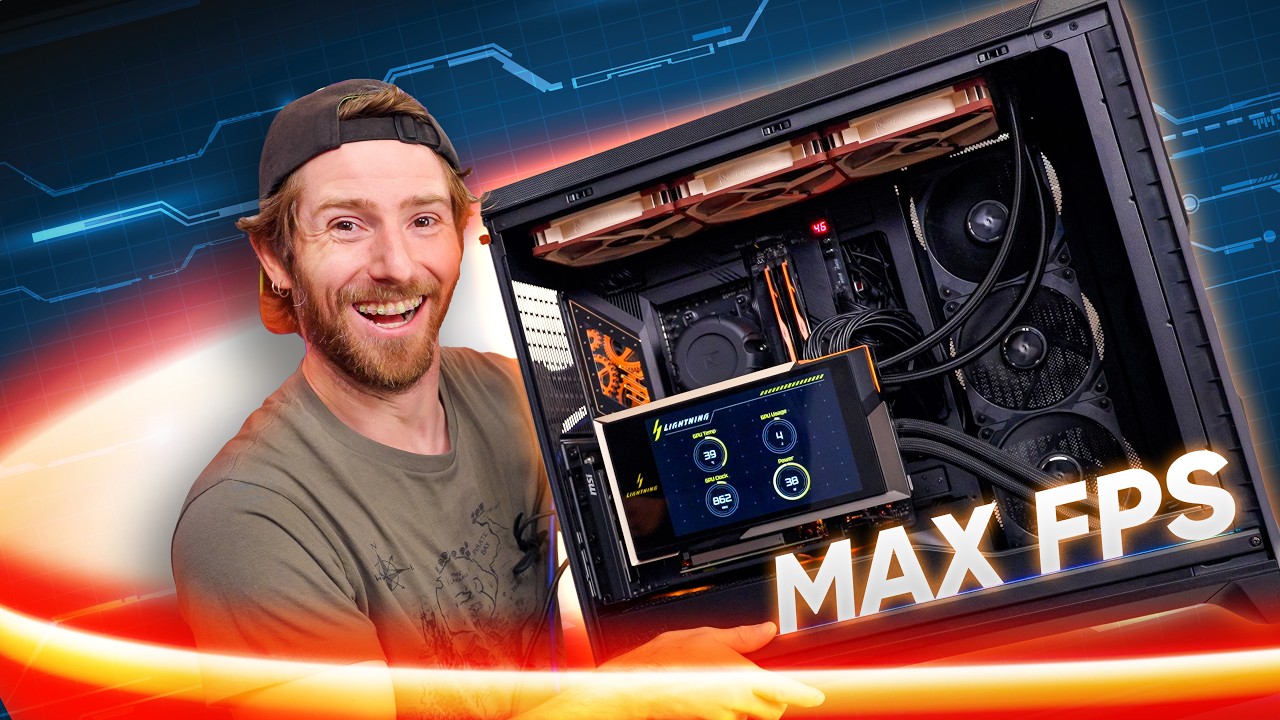
There is a sensible way to build a fast gaming PC, and then there is the machine Linus Tech Tips just assembled.
Published on 3 September, “We Built the BEST PC” starts with an intentionally ridiculous brief: build what LTT describes as the fastest PC money can buy from commercially available hardware in 2026. The result centres on AMD’s new Ryzen 9 9950X3D2 Dual Edition and MSI’s extraordinary GeForce RTX 5090 Lightning Z — hardware that makes an ordinary flagship gaming build look restrained.
The build
| CPU | AMD Ryzen 9 9950X3D2 Dual Edition |
|---|---|
| CPU cooling | Noctua NL-LC1-42 liquid CPU cooler |
| Motherboard | ASRock X870E Taichi |
| Memory | 64GB (2×32GB) G.SKILL Trident Z5 RGB DDR5, selected around low latency and Ryzen platform tuning rather than simply chasing the highest advertised memory speed |
| Storage | WD_BLACK SN8100 2TB NVMe SSD |
| GPU | MSI GeForce RTX 5090 32G Lightning Z |
| Case | Fractal Design Meshify 3 XL Ambience Pro |
| PSU | Seasonic PRIME TX-1600 |
The RAM choice is surprisingly sensible
The machine uses 64GB of DDR5 across two 32GB DIMMs. But this is one place where LTT does not simply grab the memory kit with the biggest frequency number on the box.
Linus’ point is that latency and Ryzen’s memory-clock relationships matter alongside raw DDR5 transfer rate. The build therefore does not treat the largest MT/s number as automatically “best.” On AM5, pushing memory frequency higher can demand different controller ratios and looser timings, so the effective result depends on the whole memory subsystem rather than bandwidth in isolation.
That makes the memory choice one of the most useful lessons in an otherwise deliberately excessive build: “fastest” RAM is not automatically the RAM with the highest advertised MT/s figure. A well-balanced low-latency configuration can make more sense than chasing frequency for its own sake — particularly on a Ryzen system where memory tuning is interconnected with the rest of the CPU platform.
The CPU is already an extreme part before you touch overclocking
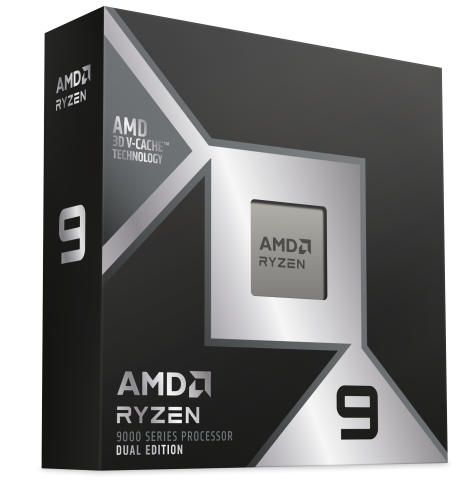
AMD’s Ryzen 9 9950X3D2 Dual Edition is a 16-core, 32-thread Zen 5 processor with a 4.3GHz base clock, boost speeds up to 5.6GHz, 192MB of L3 cache and a 200W default TDP. AMD recommends liquid cooling for optimal performance.
The important number is that enormous cache figure. X3D processors have become synonymous with high-end gaming because extra cache can reduce the frequency with which the CPU needs to reach out to slower system memory. The 9950X3D2 pushes that idea into AMD’s no-compromise desktop tier rather than forcing buyers to choose between a heavily gaming-oriented chip and a high-core-count workstation part.
Then LTT installs a graphics card that can consume a kilowatt

The centrepiece is the MSI RTX 5090 Lightning Z. Calling it merely an RTX 5090 undersells what MSI built. It uses 32GB of GDDR7 on a 512-bit interface, a full-cover copper cold plate, an external radiator, dual 16-pin power connectors and an eight-inch integrated display.
MSI specifies an 800W OC mode and an Extreme mode capable of 1000W, with a recommended power supply of at least 1500W. That explains the Seasonic PRIME TX-1600 in LTT’s build: a 1600W PSU sounds comical until the graphics card alone has a four-digit maximum power envelope.
The Lightning Z is built for overclocking, not efficiency
The most interesting part of LTT’s GPU choice is not simply that it is an RTX 5090. The Lightning Z exists specifically to push GB202 far beyond normal board limits. Its full-cover liquid block cools the GPU, memory and 40-phase VRM, while two 12V-2x6 power connectors split a power load that would be absurd through a conventional single-connector design.
MSI specifies 800W in OC mode and 1000W in Extreme mode, fed through two 16-pin power connectors, and recommends a 1500W-or-larger PSU. The company explicitly describes the custom PCB, 3oz copper construction, dual BIOS, voltage check points and full-cover copper cold plate as features for extreme overclocking. That does not mean games continuously consume a kilowatt; it means the board has been designed with vastly more electrical and thermal headroom than a normal RTX 5090.
MSI also says extreme overclockers have pushed Lightning hardware to close to 3.8GHz under record-chasing conditions. That is not an everyday gaming clock and should not be read as one — but it demonstrates why this particular 5090 is the interesting component in LTT’s build rather than merely an expensive factory OC card.
And the silicon itself is not random. MSI describes the Lightning Z as using selected hardware for extreme tuning. Results vary by individual GPU, but this is about as close as a retail graphics card gets to factory-issued overclocking equipment.
Gaming performance: what this class of machine can do
LTT’s gaming run begins at 7:20 and the dedicated overclocking section at 9:32. The video itself is the authority for the exact figures shown on screen. Because those individual overlays are not exposed in the published text transcript, STATIC is not going to invent or mis-transcribe them.
What we can do is put the hardware into context with a directly comparable RTX 5090 Lightning Z manual-overclock dataset. These are independent 4K measurements from Wccftech, not LTT’s own results, and they show the performance territory this unusually high-power card can occupy when it is actually pushed.
RTX 5090 Lightning Z OC — 4K performance context
Independent measured averages · Wccftech · not LTT’s in-video benchmark numbers
Average FPS at 3840×2160 in Wccftech’s Lightning Z manual-OC testing. Settings differ by title; ray tracing is noted where applicable. This chart is included as comparable performance context, not as a transcription of LTT’s on-screen results.
The pattern matters more than any single bar. Once a flagship GPU is already running at this level, the remaining performance is increasingly expensive to extract. The Lightning Z’s giant power envelope, custom PCB and liquid cooling create more room for tuning, but the final slice of FPS comes with sharply diminishing efficiency.
The motherboard is there to stay out of the way
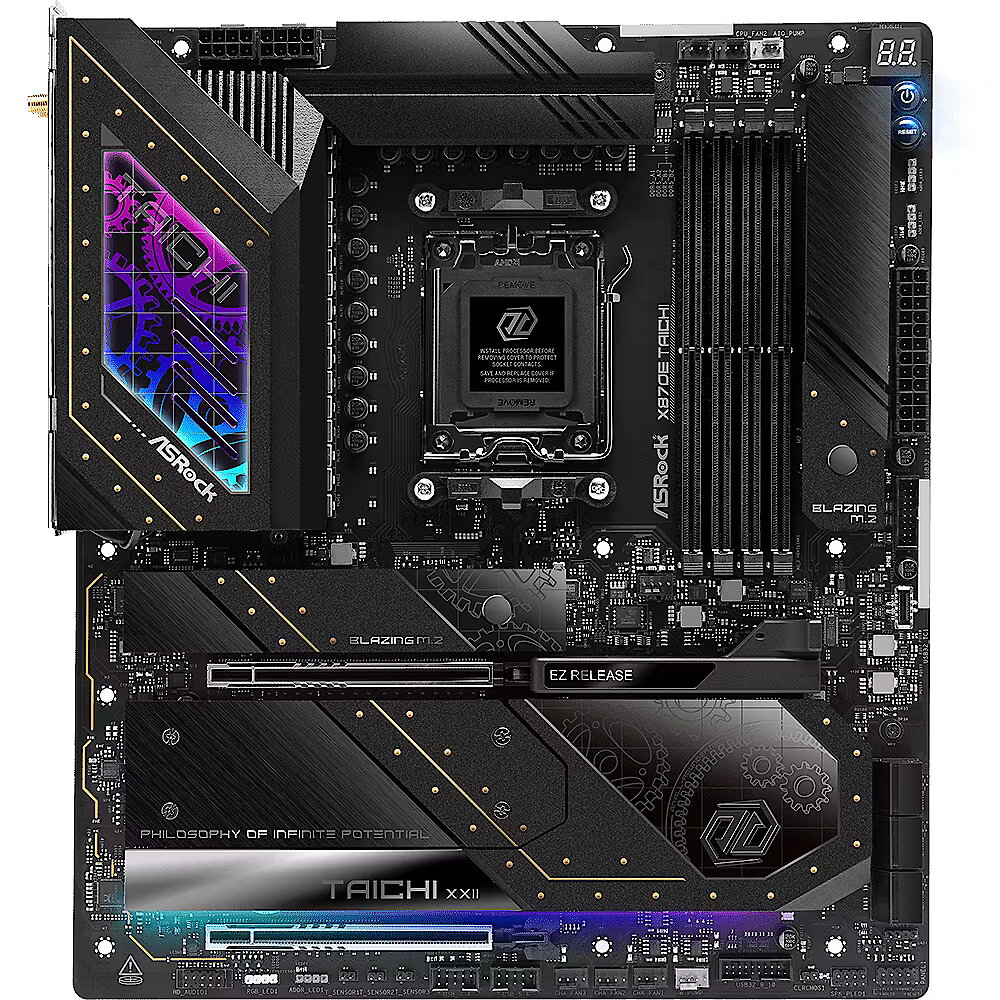
The ASRock X870E Taichi is exactly the kind of board this experiment calls for: not because an expensive motherboard magically produces more frames, but because a machine built around extreme power and overclocking hardware should not have its platform become the limiting variable.
The same logic explains the rest of the system. Fast NVMe storage, a huge chassis, serious liquid cooling and 1600 watts of power capacity are less about making the specification sheet longer than about removing obvious bottlenecks around the two components doing most of the interesting work.
“Best” and “best to buy” are two completely different things
This is where the video becomes more useful than the title suggests. LTT did not build a rational enthusiast PC. It built an upper boundary.
That distinction matters because flagship hardware has a habit of distorting PC-building conversations. Once you see a 9950X3D2 beside a Lightning Z, a merely excellent machine can suddenly look inadequate. It is not. Most gaming PCs will hit diminishing returns long before they reach this territory.
The Lightning Z alone demonstrates why. Its enormous cooling system, dual power connectors and extreme BIOS exist to chase the final slice of performance available from already top-tier silicon. Those last percentages can require disproportionately more money, power and cooling than the gains below them.
The real achievement is that a PC can still be this ridiculous
There is another way to read LTT’s build. PC gaming has always had an experimental streak. Unlike a console, there is no fixed specification telling an enthusiast where to stop. Someone can build for value, silence, tiny size, maximum efficiency — or simply ask how fast commercially available desktop hardware can go.
The 9950X3D2 and Lightning Z are almost caricatures of that freedom. One piles huge cache onto a 16-core desktop CPU. The other bolts a radiator and an eight-inch screen onto a graphics card and gives it access to as much as a kilowatt.
Neither component needs to make economic sense to demonstrate something interesting about the state of the platform.
STATIC’s take
LTT’s “best PC” is not the PC most people should build. That is precisely why it is interesting.
A sensible gaming machine is an optimisation problem: find the performance you actually need, then avoid paying for things that do not materially improve the experience. This build reverses the equation. It starts at the edge of what consumer desktop hardware can do and asks what supporting hardware is required to keep it there.
For normal buyers, the lesson is not “buy a 1600W PSU and the wildest RTX 5090 you can find.” It is that the top of the PC market has become a specialised playground where power, cooling and cost rise much faster than practical gaming benefit.
For hardware nerds, though?
Sometimes the point of the mountain is simply to see what is at the top.
Linus Tech Tips — We Built the BEST PC
Linus Tech Tips forum — official LTT Releases post
AMD — Ryzen 9 9950X3D2 Dual Edition specifications
MSI — GeForce RTX 5090 Lightning Z
Wccftech — Lightning Z independent 4K overclock benchmark context